Stop Asking AI to "Make It Look Better"
Named design commands for your coding agent. Polish UI in small passes with Impeccable — not vague make-it-better prompts.
- ai
- design
- skills
- impeccable
Author: John Ryan Cottam4 min read
I can ship a feature in a weekend. Making it feel designed takes longer. I know when the UI is off. I can’t name what to fix. So I say “make it look better.” The agent shuffles spacing, type, and layout. The diff looks different, but not always better.
The fix, for me, wasn’t learning to speak fluent designer. It was stopping the vague prompt and using scoped commands with project context loaded first.
Impeccable is a design skill for AI coding agents: one install, many sub-commands (/impeccable teach, polish, bolder, adapt, and others). I use it when the logic is done and the UI still feels like a first draft — dashboards, settings flows, landing sections, empty states. Not as a replacement for a human designer on a high-stakes brand project. As a way to find and fix concrete problems without a redesign committee in my repo.
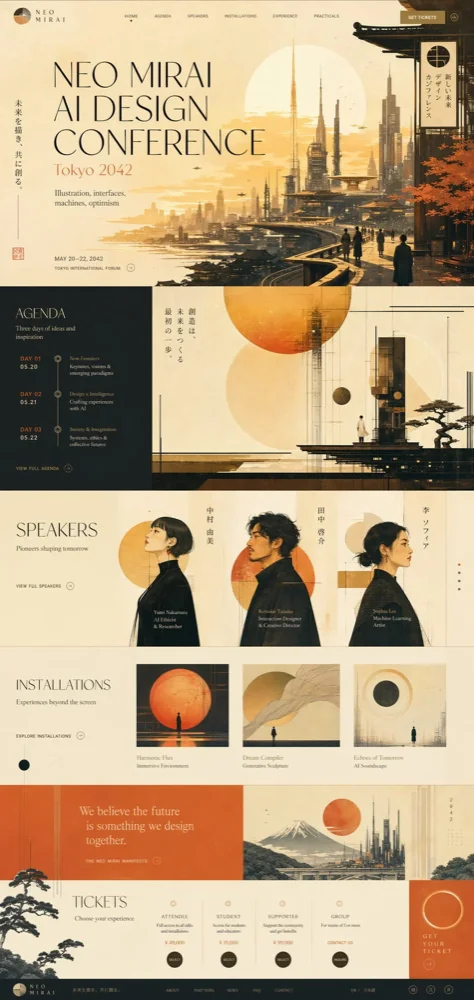
 The kind of generic output Impeccable’s rules are aimed at — purple gradients, template hierarchy. From impeccable.style/anti-patterns.
Load context once
/impeccable teach is the step worth doing before anything else. It produces PRODUCT.md (audience, goals, brand vs product register, anti-references) and optionally DESIGN.md (color, type, components). Later commands are supposed to read that context before editing UI.
That matters because “polish this settings panel” without context converges on the same SaaS surface every model has seen. With context, the agent at least knows it’s tuning a product UI, not a marketing hero — or the other way around.
Commands I actually use
Polish when I know where to look
/impeccable polish — My default. One target: a form, a table header, a nav, a card grid. Alignment, spacing, type rhythm. The scope is small enough that I can review the diff in one sitting and revert if it overreaches.
Running polish on the entire app is a mistake for the same reason: too much surface area, too much taste embedded in the diff.
Bolder, adapt, delight — same rule, different intent
/impeccable bolder — A hero, CTA, or empty state that is correct but timid. One section, obvious goal.
/impeccable adapt — The pass I defer until mobile breaks in the wild: padding, type scale, breakpoints I didn’t test.
/impeccable delight — Light personality on a secondary surface (sidebar, list, footer band). I use it rarely; it’s easy to cross into novelty I wouldn’t have chosen myself.
Shape and craft for new UI
When there’s no UI yet, teach and polish aren’t the entry point. /impeccable shape is structured discovery (who, what job, what flow) before code. /impeccable craft builds toward an approved direction — on capable harnesses, that can include reference imagery and a hi-fi mock you treat as a contract, not a vibe.
 Mock-as-contract workflow from Impeccable’s craft flow. From impeccable.style.
I use shape/craft less often than polish — most of my work is improving screens that already exist.
Overdrive — experiments only
/impeccable overdrive — scroll-driven motion, heavy visual treatments. I run it when I’m willing to throw away the result. Keep what works; revert the rest.
What still fails
Broad refactors — extract, optimize, “fix the design system” across the tree: more review than value when I’m trying to ship.
Letting the agent own taste — Even with good commands, the model has preferences. Scoped commands keep those preferences bounded. Hand it the repo and you debug its choices instead of yours.
The loop
teach (once per project, or when positioning changes) → polish / adapt (on named targets) → revert anything that goes sideways.
Impeccable doesn’t remove the need for judgment. It replaces “make it look better” with “polish this table header” or “adapt this checkout form” — prompts I can evaluate.
If you already have a mature design system and a human reviewer, occasional polish may be enough. If you’re a solo developer shipping your own UI, the teach step is not optional fluff; it’s what keeps the output from defaulting to generic.
Try it
npx skills add pbakaus/impeccableThen /impeccable teach, pick one component, and run /impeccable polish on it before you touch the rest of the app.
Resources
I’m not affiliated with Impeccable — I use it on my own projects.